Registry Backup & Restore
Before applying network or system tweaks, VeloSys Pro provides built-in tools for registry safety.
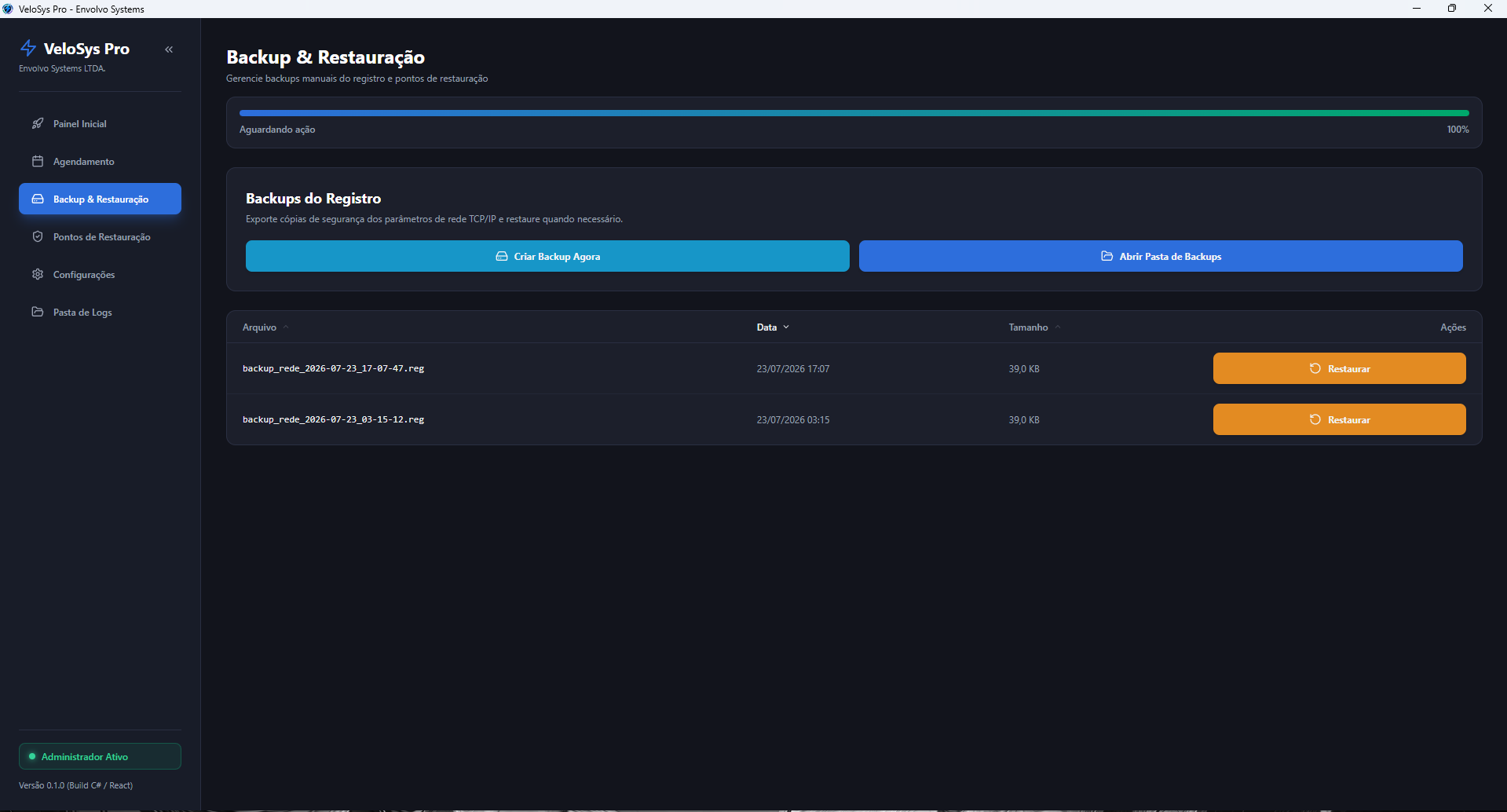
Creating a Registry Backup
- Navigate to the Registry Backup tab in VeloSys Pro.
- Click Create Backup.
- A
.regsnapshot of your current TCP/IP and network configuration will be exported and timestamped in your%LOCALAPPDATA%\VeloSysPro\backupsdirectory.
Restoring a Backup
- Select a backup entry from the table list.
- Click Restore Backup and confirm the dialog.
- VeloSys Pro imports the selected
.regfile into the Windows Registry.